Your Own JARVIS AI For Your PC and Your Business.
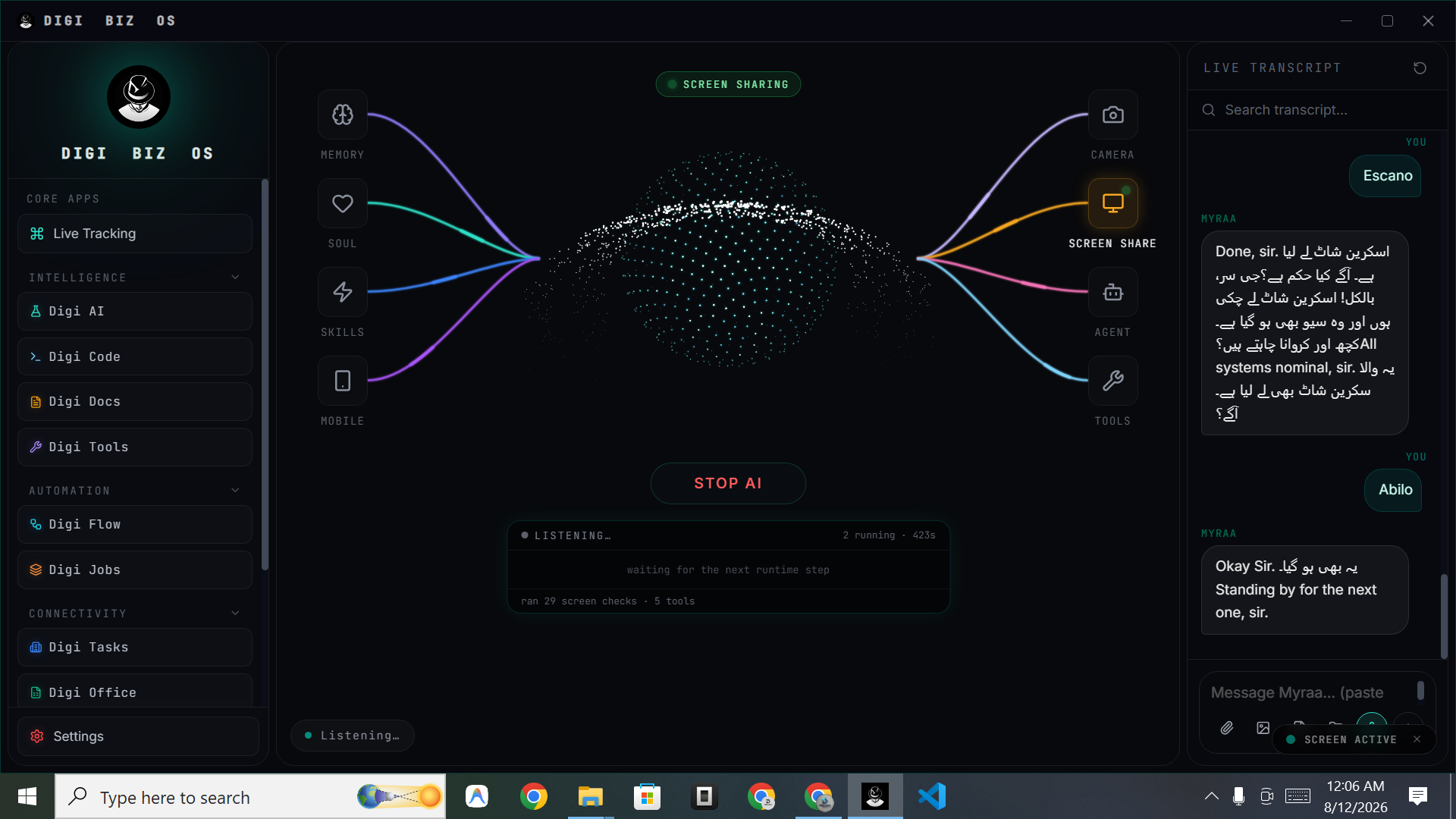
Most people who search for a JARVIS AI want the same thing: an assistant they can talk to that actually does the work instead of writing about it. DIGI BIZ OS is built for exactly that — a voice-first AI business operating system that listens, understands, plans, picks the right agent, skill or tool, executes on your computer and reports back.
Straight answers
- What is a JARVIS-style AI assistant?
- A JARVIS-style AI assistant is a voice-driven assistant that can understand natural instructions, plan multi-step work and then execute it using tools on your computer — rather than only answering questions in a chat window.
- Is DIGI BIZ OS a real JARVIS?
- DIGI BIZ OS is JARVIS-inspired, not the fictional Marvel system. It delivers the practical part of the idea: voice interaction, planning, multi-agent execution, 500+ skills, 150+ mixed tools, desktop control, coding, documents and business automation in one app for Windows.
- What can it actually do?
- Speak a request and it can run workflows, schedule jobs, complete tasks, open and use applications, work with files and documents, write and run code, use the terminal and browser, and hand work to specialist AI agents.
What you get
It listens
Voice-first control with live transcription, so you can brief it while you work.
It understands
Your instruction is turned into an intent with context from memory and your workspace.
It plans
Multi-step plans are built before execution, so complex requests do not collapse into one answer.
It uses tools
150+ mixed tools cover files, documents, system utilities, browser and connected services.
It uses agents
Specialist agents take ownership of coding, research, documents or operations work.
It reports back
Live tracking shows every step, tool call and result while the work is running.
From voice to finished work
The pipeline is the difference between a chatbot and a JARVIS-style assistant. DIGI BIZ OS follows a full execution loop every time you speak.
- Voice — speak naturally; the live transcript shows exactly what was heard.
- Understand — the request is interpreted against your memories, personas and current workspace.
- Plan — the work is broken into steps with the right agent, skill and tool selected per step.
- Execute — steps run on your machine: files, apps, terminal, browser, documents, code.
- Report — you see the outcome, the artefacts produced and the full run history.
Why a JARVIS needs a body, not just a brain
A language model alone cannot rename a folder, sign a PDF, run a build, schedule a nightly job or send a report. DIGI BIZ OS gives the model hands: a skill system, a tool layer, a terminal, a browser, a document workspace and a scheduler — all on your own machine.
Built for business, not novelty
The assistant is designed around real operating work: recurring jobs, document processing, research, reporting, coding and admin. That is why it is an AI business operating system rather than a desk toy.
Frequently asked
- Does it work on Windows?
- Yes. DIGI BIZ OS runs on Windows 10 and Windows 11. macOS, Linux and mobile versions are marked coming soon.
- Do I need to code?
- No. Voice and chat are the primary interfaces. Coding tools exist for people who want them.
- Is it a subscription?
- No. The core licence is a one-time lifetime payment. Source code and custom build licences are also available.
- Can I add my own skills?
- Yes. Custom skills, memories, tools, agents, workflows and scheduled jobs are all created inside the app.