Your Desktop. Your Command Center.
150+ built-in mixed tools. Pixel-perfect desktop control. Complete OS-level execution via voice command.
Click, Type, Control — All by Voice.
DIGI BIZ OS takes voice-triggered commands and controls any visible desktop element — click buttons, type text, manage windows, execute hotkeys, capture screenshots.
104+ Bridges to Total Control.
Desktop Control
20+ handlersMouse movement, clicking, dragging, keyboard control, window focus, screen capture.
File System
15+ handlersRead, write, list directory, file picker, path validation, file watcher integration.
Process Management
8+ handlersLaunch processes, kill tasks, monitor CPU/RAM, list running applications, check system health.
Clipboard & System
7+ handlersRead/write clipboard, OS toast notifications, screen resolution, system info retrieval.
Office & Reporting
20+ actionsCreate and update spreadsheets, append rows and cells, export CSV, build Word documents, read slides and generate finished reports.
Screen Vision & OCR
12+ actionsCapture the screen, pull text out of images and scans, read documents you point at and act on what it sees.
Research & Browsing
10+ actionsOpen websites, find and switch tabs, run live web research and summarise sources into a usable brief.
Folders & Media
15+ actionsAnalyse whole folders, process document batches, rename in bulk and download or convert media straight to the right place.
The Workspace That Works While You Talk.
Screen sharing, camera, memory, skills, multi agents and tools — exactly what runs on your desktop.
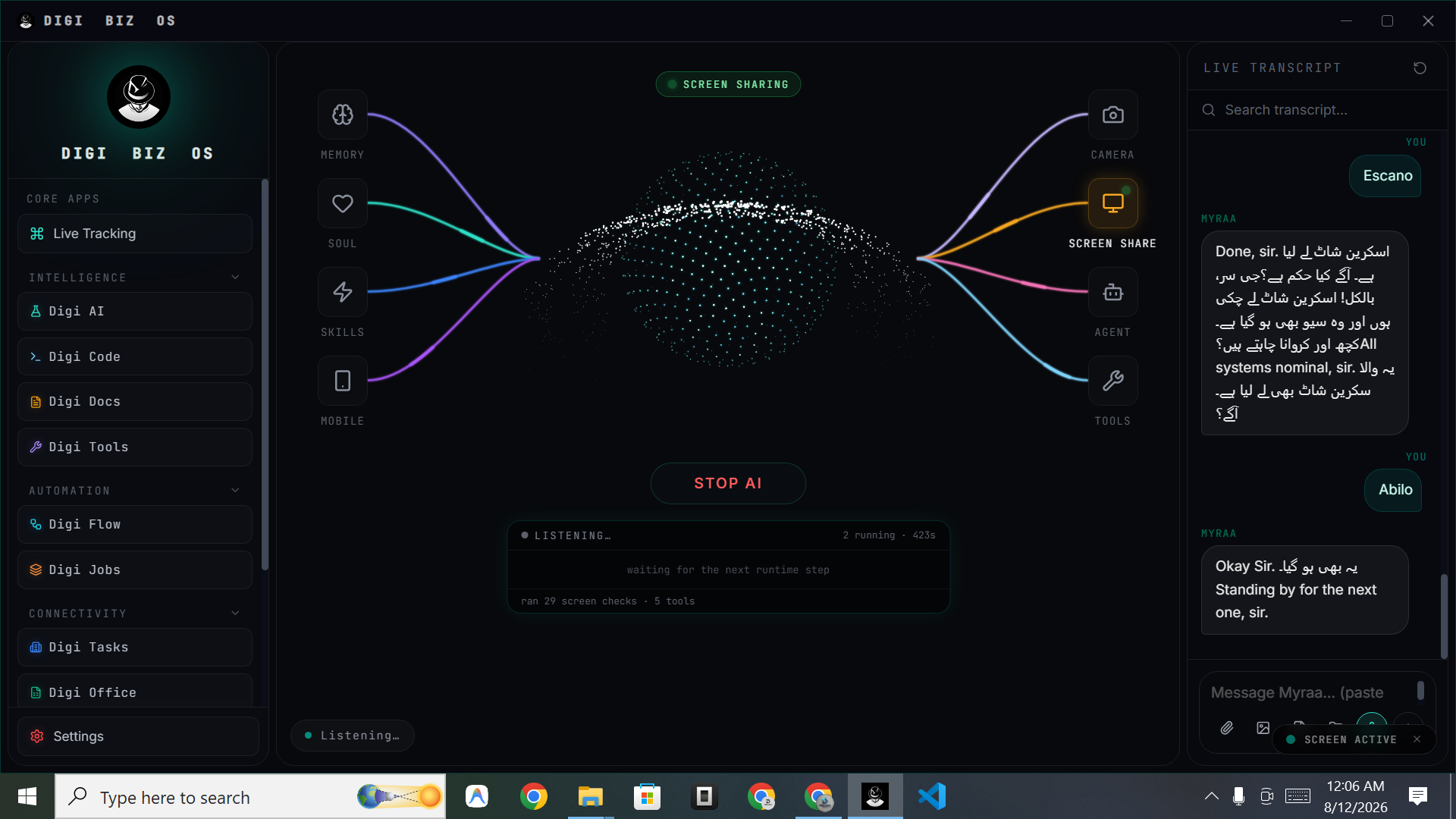
Your entire command surface in one place.
Screen sharing, live transcript, memory, skills, agents, tools and camera — all orbiting a single voice-first workspace that works while you talk.
Eight Weapons. One Battle Station.
Everything you see in the workspace above, broken down — models, coding, documents, utilities, runners, connectors, skills and true desktop control.
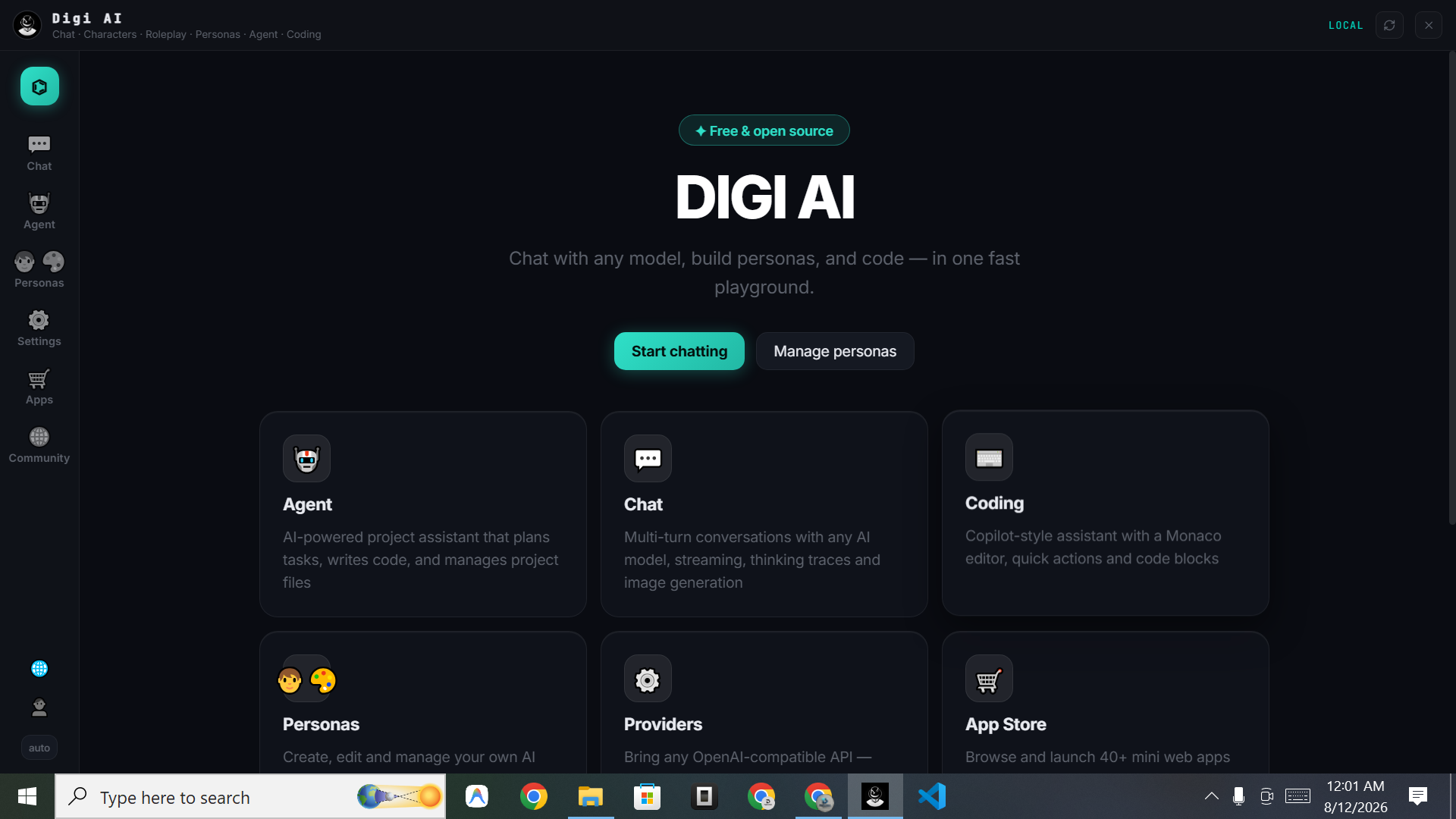
Digi AI
Talk or type to one assistant that carries your memory, sees your screen and executes across the machine.
- ✓Voice + chat in one thread
- ✓Screen & camera awareness
- ✓Custom memory and persona
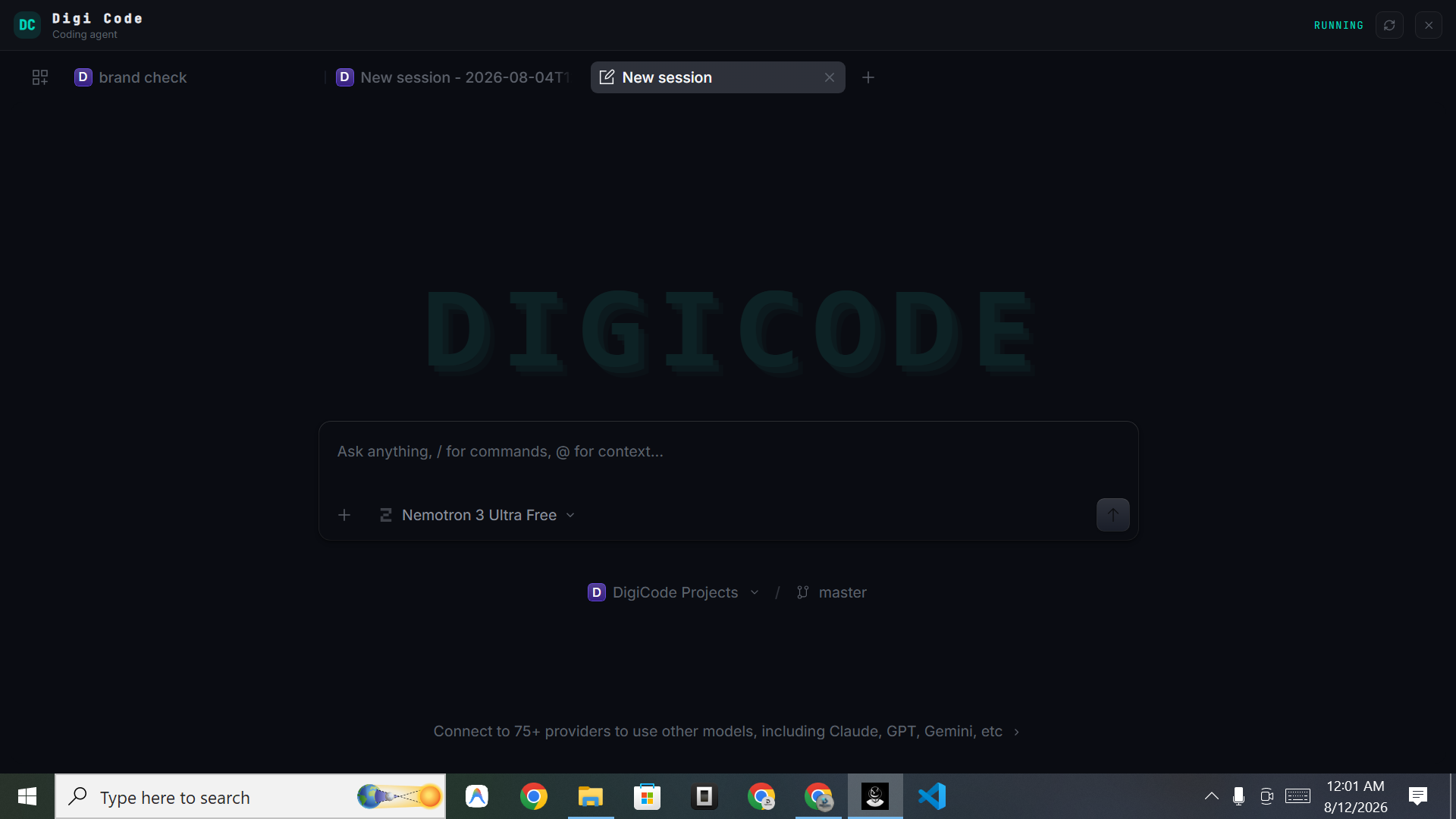
Digi Code
A coding agent that lives inside your projects — sessions, project and branch context, slash commands and @ file references.
- ✓Repo & folder reasoning
- ✓Refactor, debug and ship
- ✓Session history per project
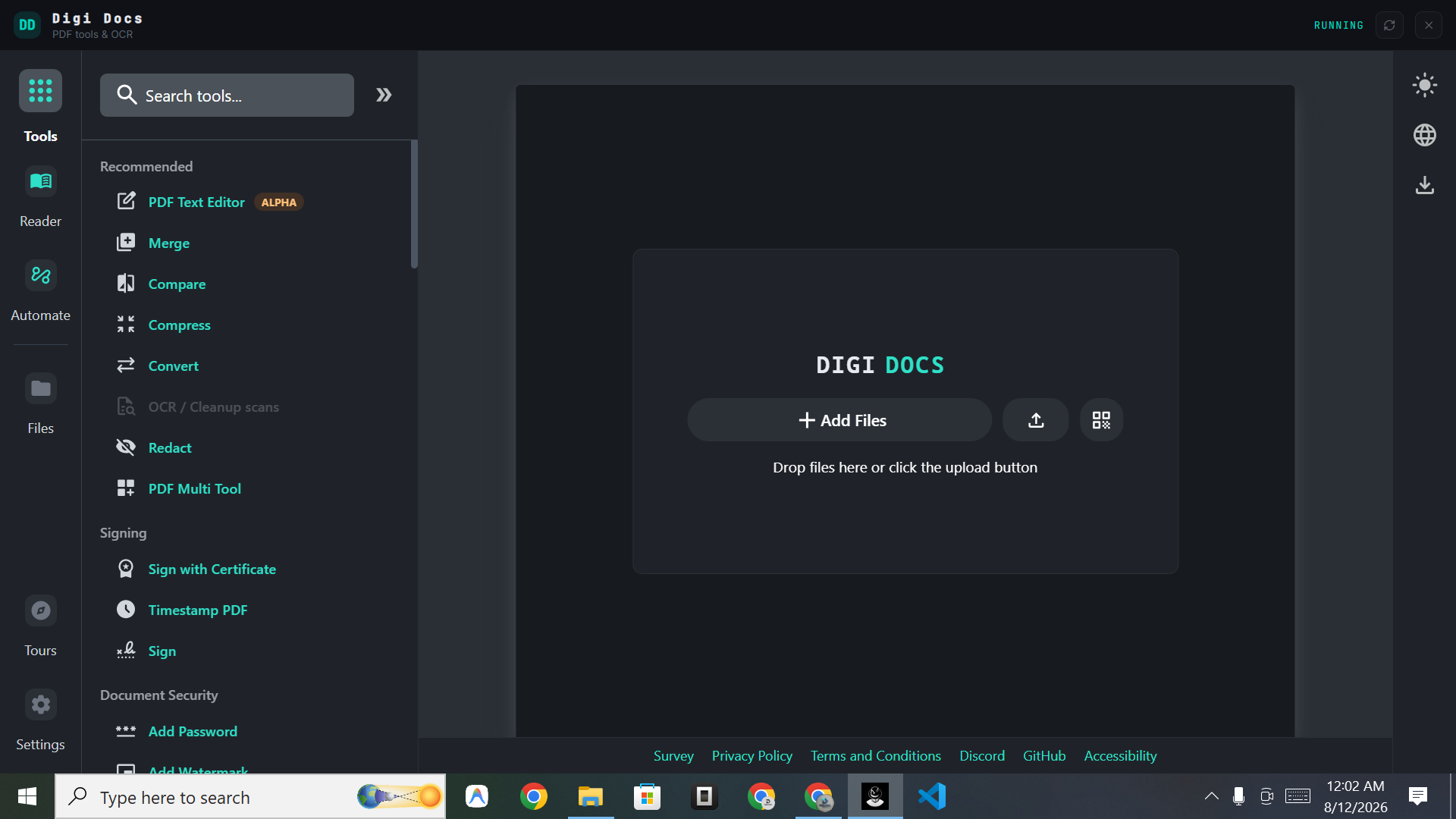
Digi Docs
Merge, split, compare, compress, convert, OCR, redact, sign, timestamp, password-protect and watermark documents on your own machine.
- ✓OCR & text extraction
- ✓Redact, sign and timestamp
- ✓Batch convert and compress
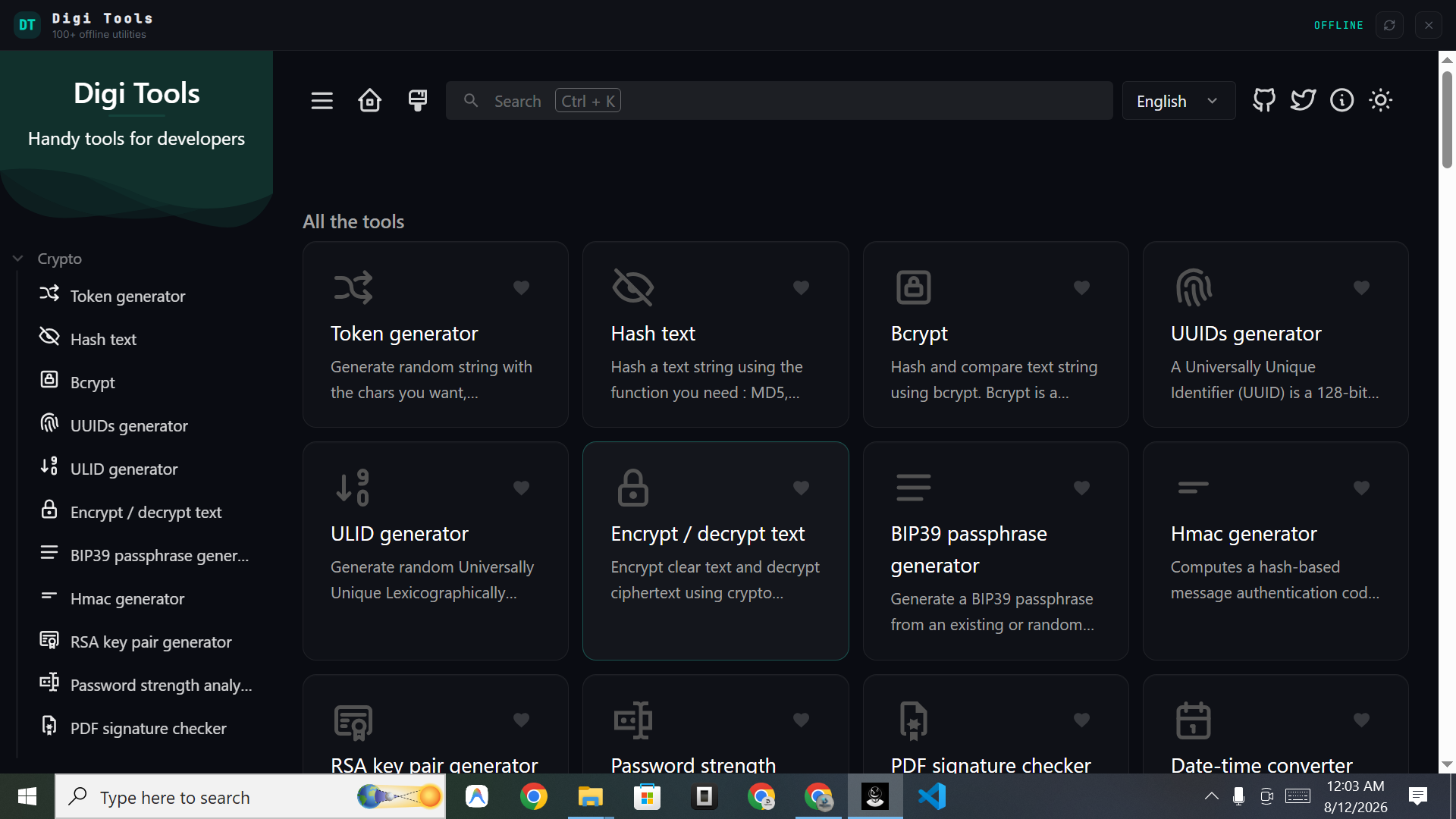
Digi Tools
Crypto, encoding, converters, generators and analysers — searchable, favouritable and fully offline, so nothing you paste ever leaves the machine.
- ✓Instant search & favourites
- ✓Hashing, encoding, formatting
- ✓Zero network required
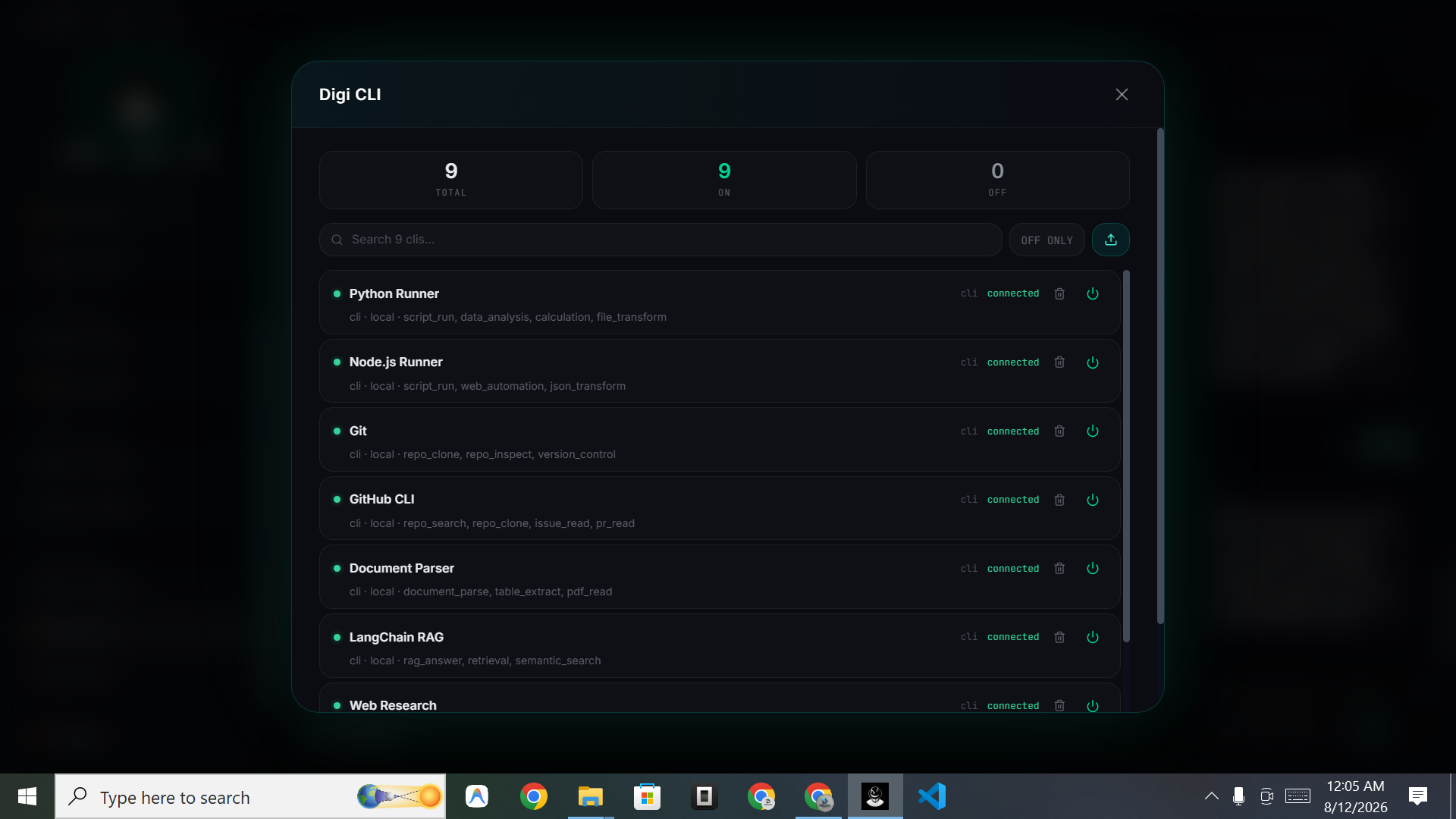
Digi CLI
Connect local runners for scripting, version control, document parsing, retrieval and web research — each one toggled live.
- ✓One-click connect / disconnect
- ✓Capabilities listed up front
- ✓Add your own runners
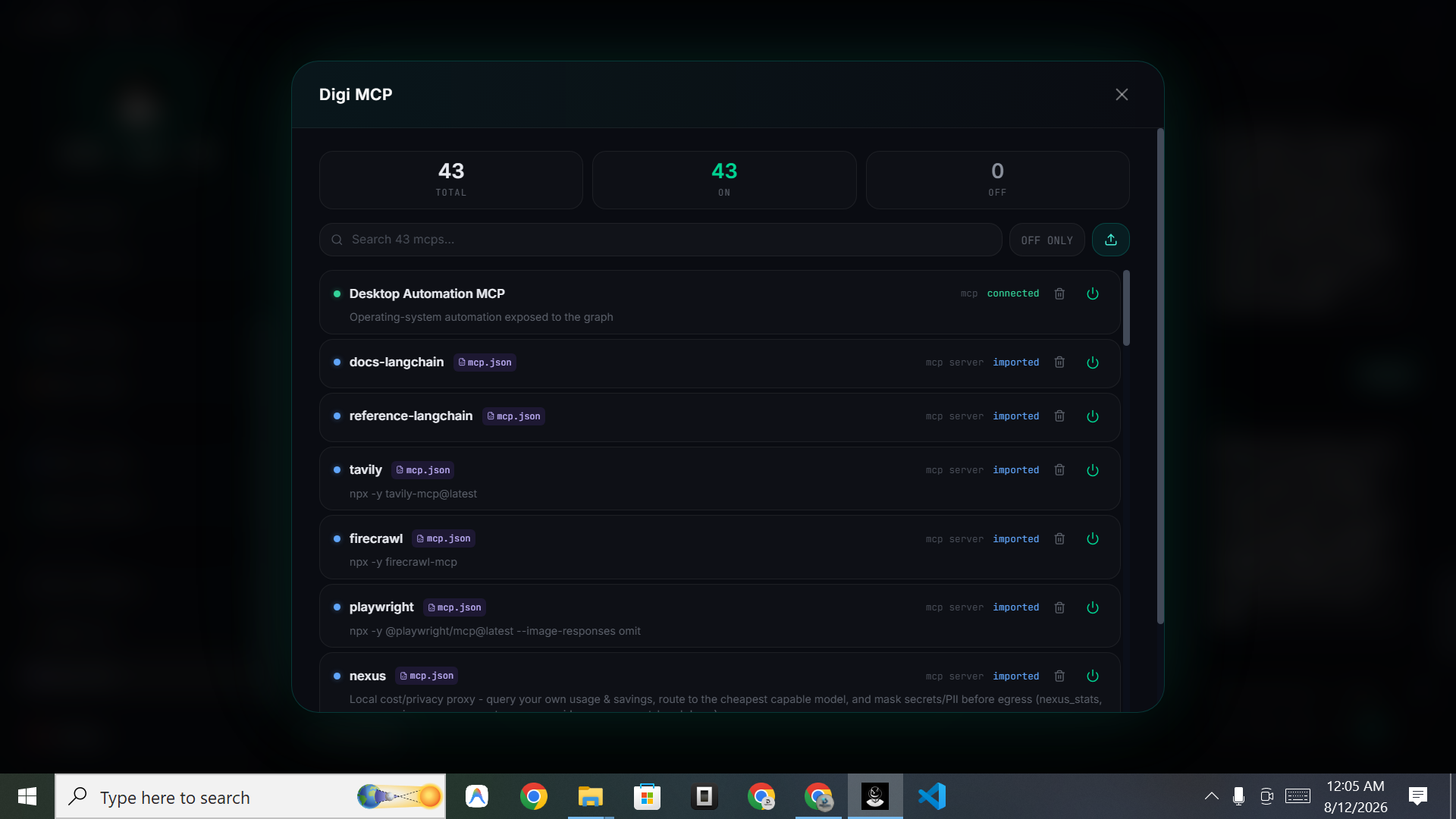
Digi MCP
Desktop automation, research, browsing, documentation and private routing servers imported and switched on live.
- ✓Multi-MCP ready
- ✓Import custom servers
- ✓Live status per server
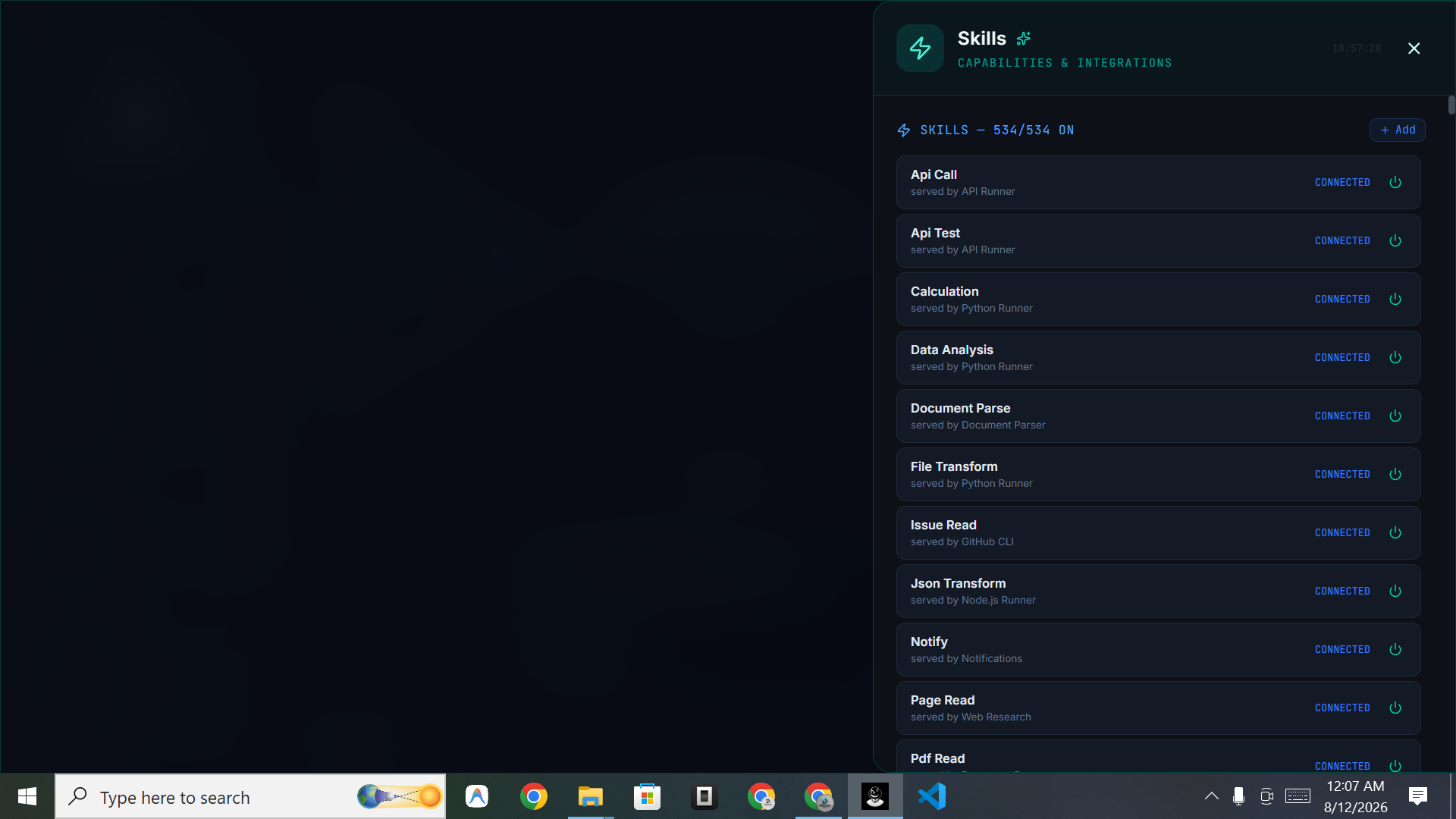
Skills Library
API calls, calculation, data analysis, document parsing, file transforms and web research — every skill switchable on or off.
- ✓Runner shown per skill
- ✓Live enable / disable
- ✓Author your own skills
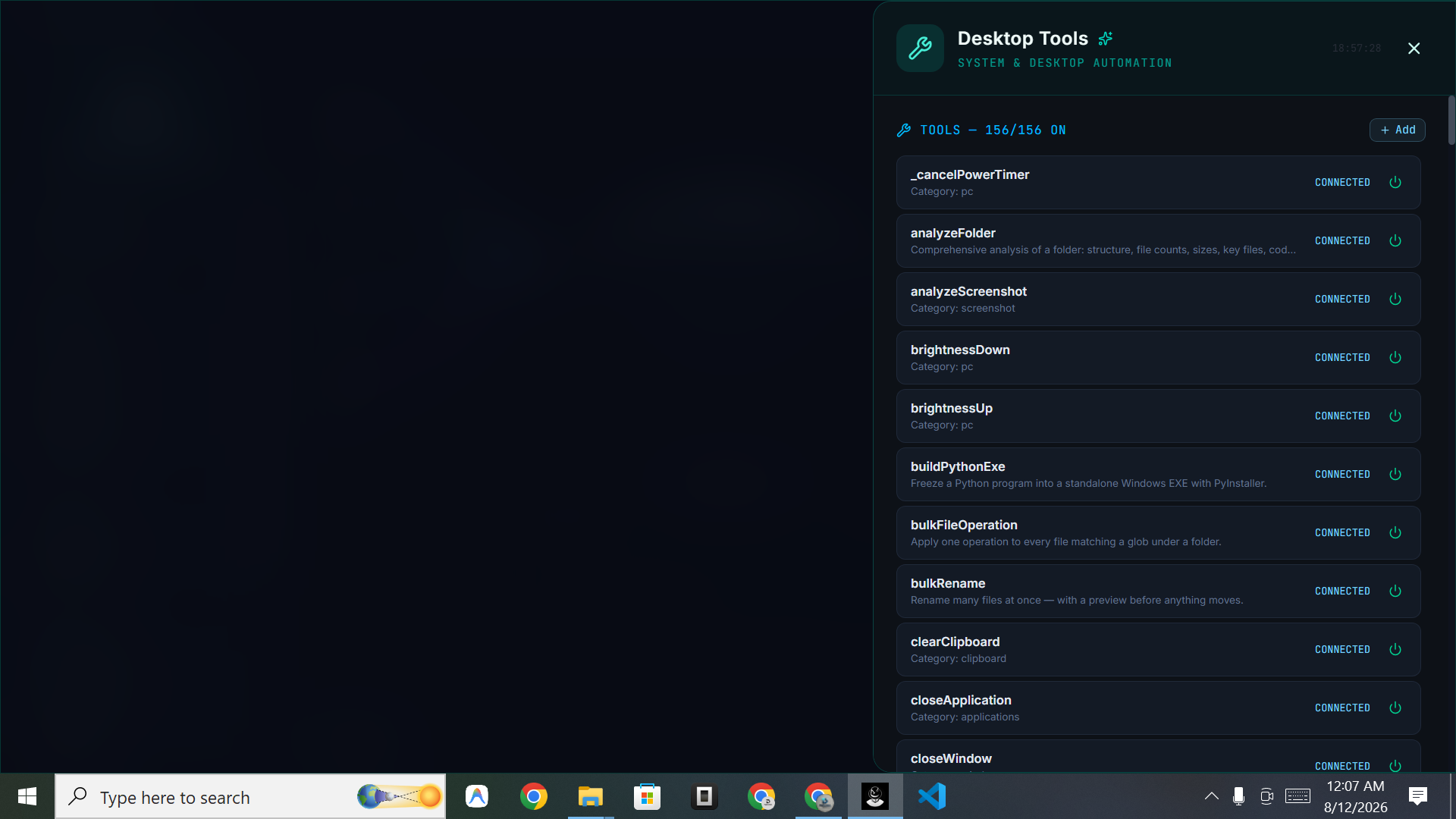
Mixed Tools
Real machine control: folder analysis, screenshot understanding, bulk file operations and renames, clipboard, brightness, power and app control.
- ✓Mouse, keyboard & windows
- ✓Bulk file ops and renames
- ✓Local folder access