Windows
AI Assistant for Windows Voice In, Work Out.
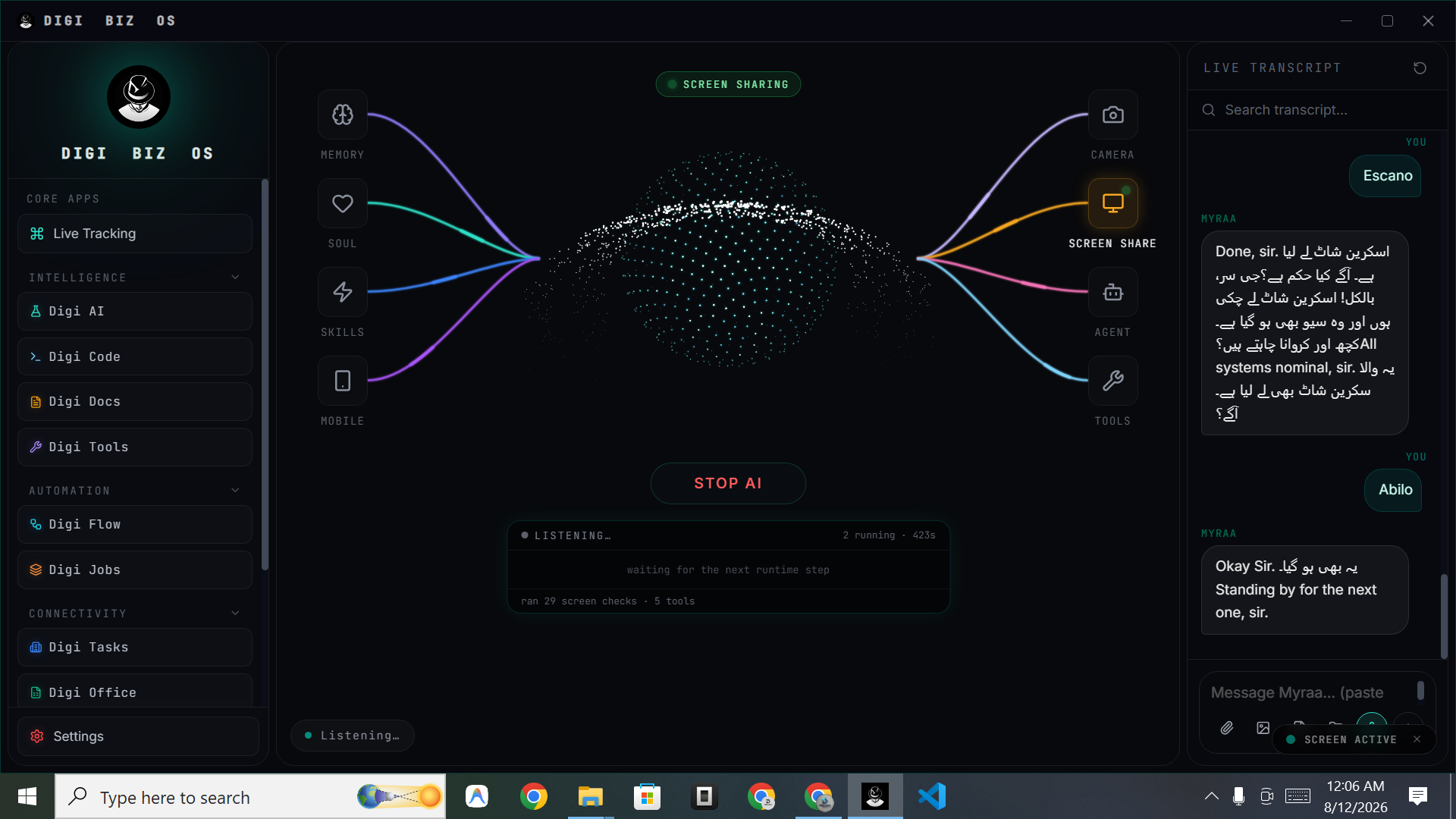
DIGI BIZ OS is a native Windows install, not a web app. Once it is running you can speak to your PC and get finished work back — documents processed, code written, folders organised, jobs scheduled.
Straight answers
- Which Windows versions are supported?
- Windows 10 and Windows 11.
- What makes it different from built-in assistants?
- It executes multi-step work using agents, skills and tools, and it can be extended with your own automations.
What you get
One-time licence
Lifetime access from a single payment — no monthly seat fees.
Voice-first
Speak your request; the live transcript keeps you in control.
Agents included
Multi-agent execution for coding, documents, research and operations.
500+ skills
Reusable capabilities you can trigger by voice.
150+ mixed tools
Utilities that work with files, systems and connected services.
Scheduling
Hourly, daily or weekly jobs that run in the background.
Install, speak, delegate
Setup is a normal Windows install. After that, most people start with one recurring task — a weekly report, a document batch, a folder clean-up — and expand from there.
Frequently asked
- Is there a Mac version?
- macOS is coming soon, along with Linux and mobile.
- Do I get updates?
- Yes, the lifetime licence includes ongoing access to the product.